 DE
DE  EN
EN  PL
PL 


Refreshed look and new features of the user panel in Salesbook


With the new year, we are introducing new changes to Salesbook. This time, we have prepared a refreshed layout and new features available in the user panel.
Our team has developed a new look for both the user panel and the view of the list of all users, all to make the use of Salesbook even more intuitive and simple.
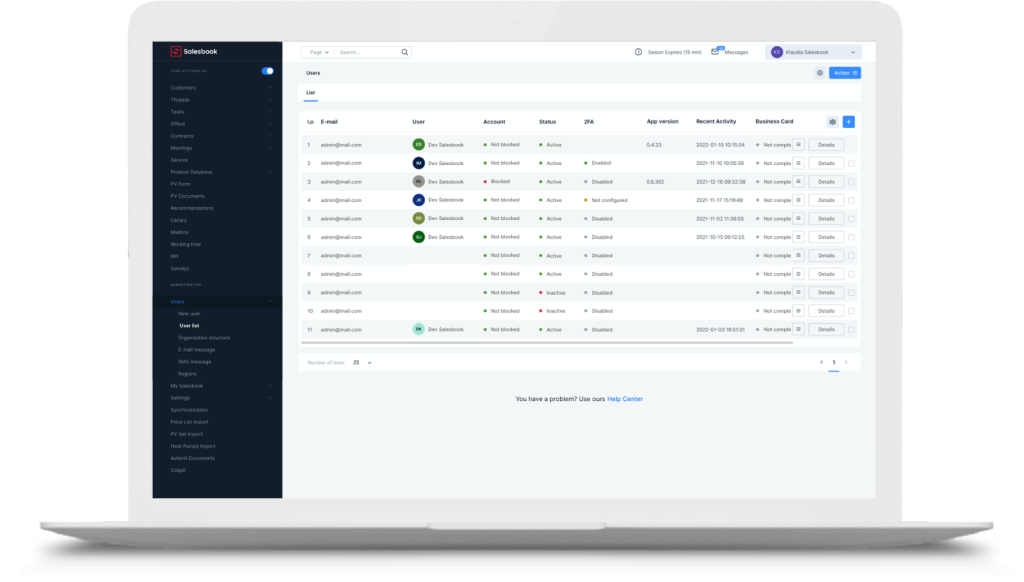
New user list view layout
You will see the first changes after opening the user list view. From now on – in addition to the basic user data – in the columns you will find, among others information about two-step verification, user status and recent activity.
You can flexibly adapt the table containing information about users to your needs by adding or removing selected columns, all to make access to information even faster.
In each row, on the right, we have also added a hamburger menu that contains all available actions related to the management of the selected user account.
New features available on the user panel
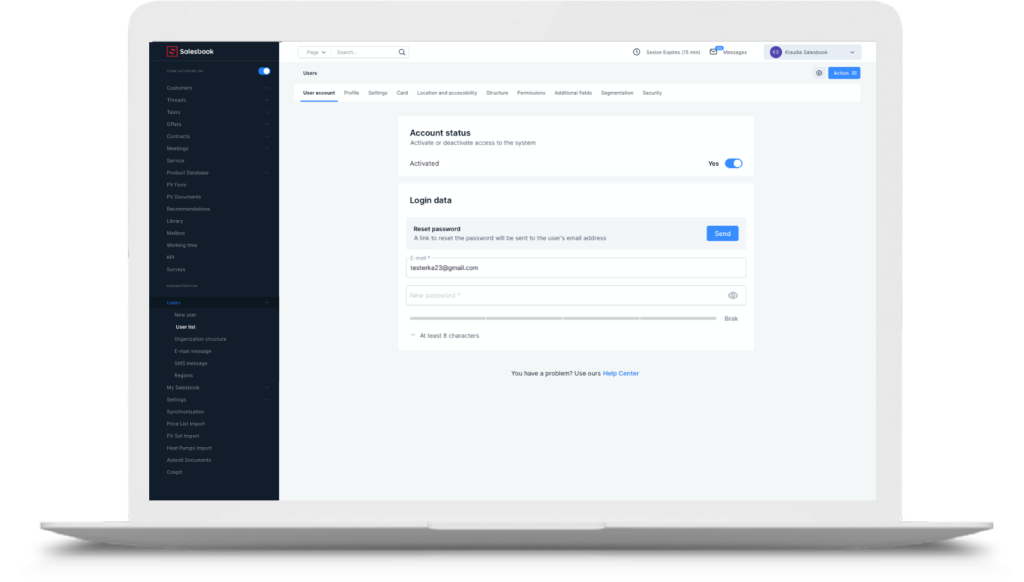
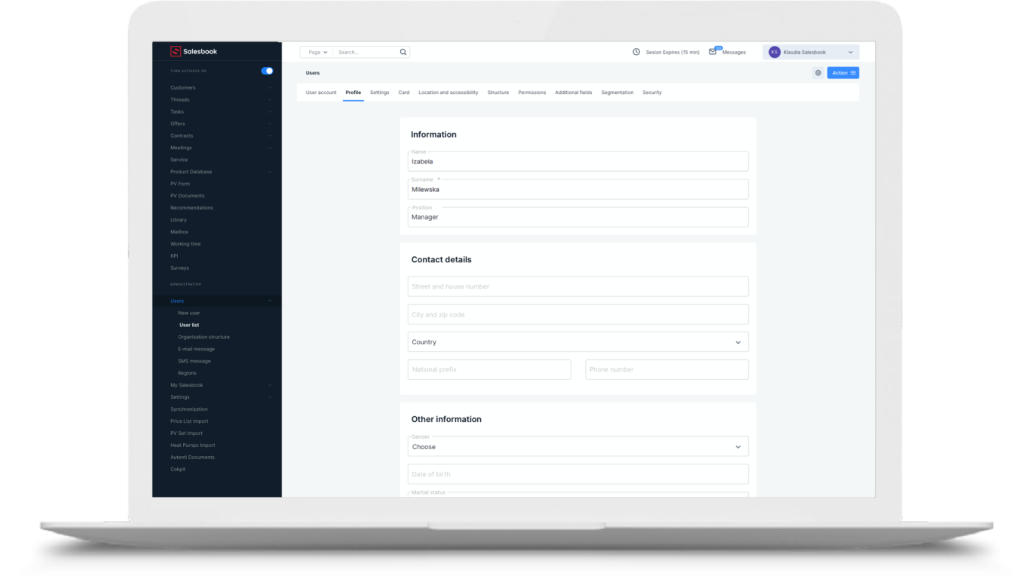
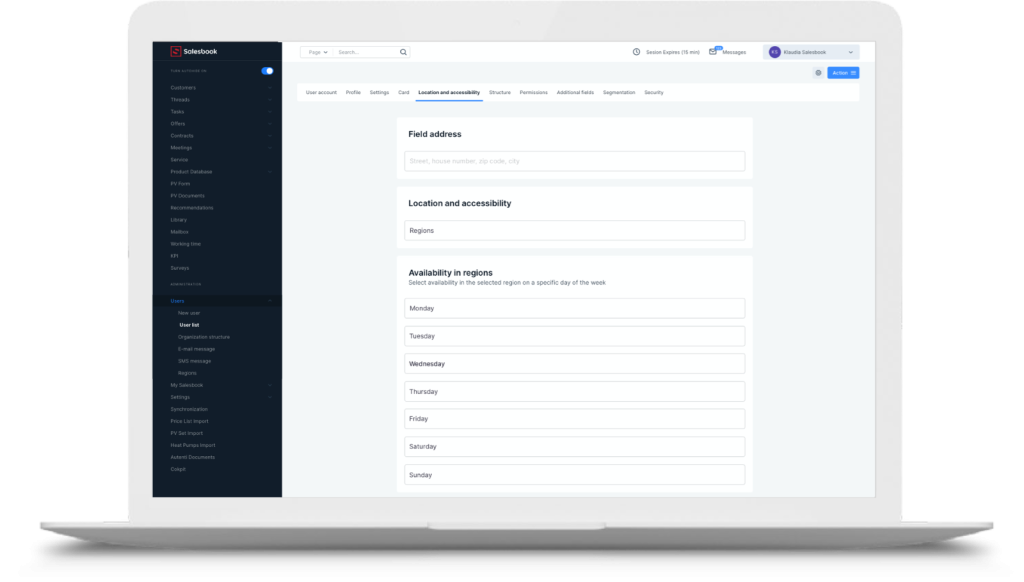
The user panel itself also has a new layout. In addition to the previously available options, you will now also find tabs regarding, among others, user cards, location and accessibility, structure and security. All features have been sorted in clear and easy-to-use tabs.
From now on, in the User Panel, you can set, for example, a temporary absence of an employee or mark their cyclical unavailability in a selected region.
You can easily reset the password or give the selected user new permissions. You can freely define its place in the structure of the organization or change the status of the account.
Detailed information on all new features can be found in the article available in the documentation tab on our website.
You don’t use Salesbook yet? Schedule a free demo and find out how we help sellers achieve high sales results and increase efficiency by up to 53%.
Inhaltsverzeichnis