
 EN
EN  PL
PL  DE
DE 

Salesbook eSign. More than a signature
Fast and convenient document generation, signing, and management. Fully online.
Speed up your signing process.
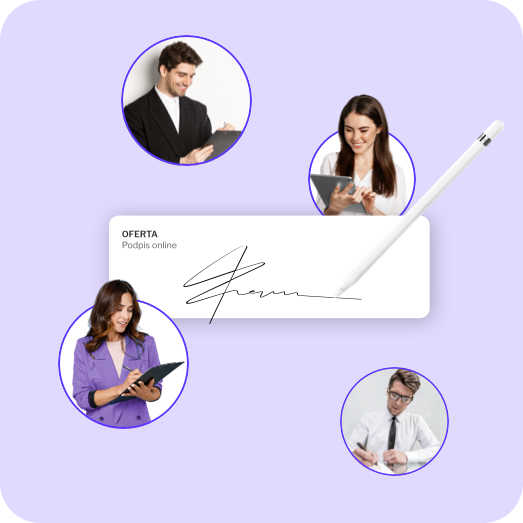
Send a document link and sign with an SMS or email code

Fast
In a traditional document signing process, parties need to exchange physical copies. This significantly slows everything down, increases the risk of documents getting lost, and often leads to messy archives.

Easy to use
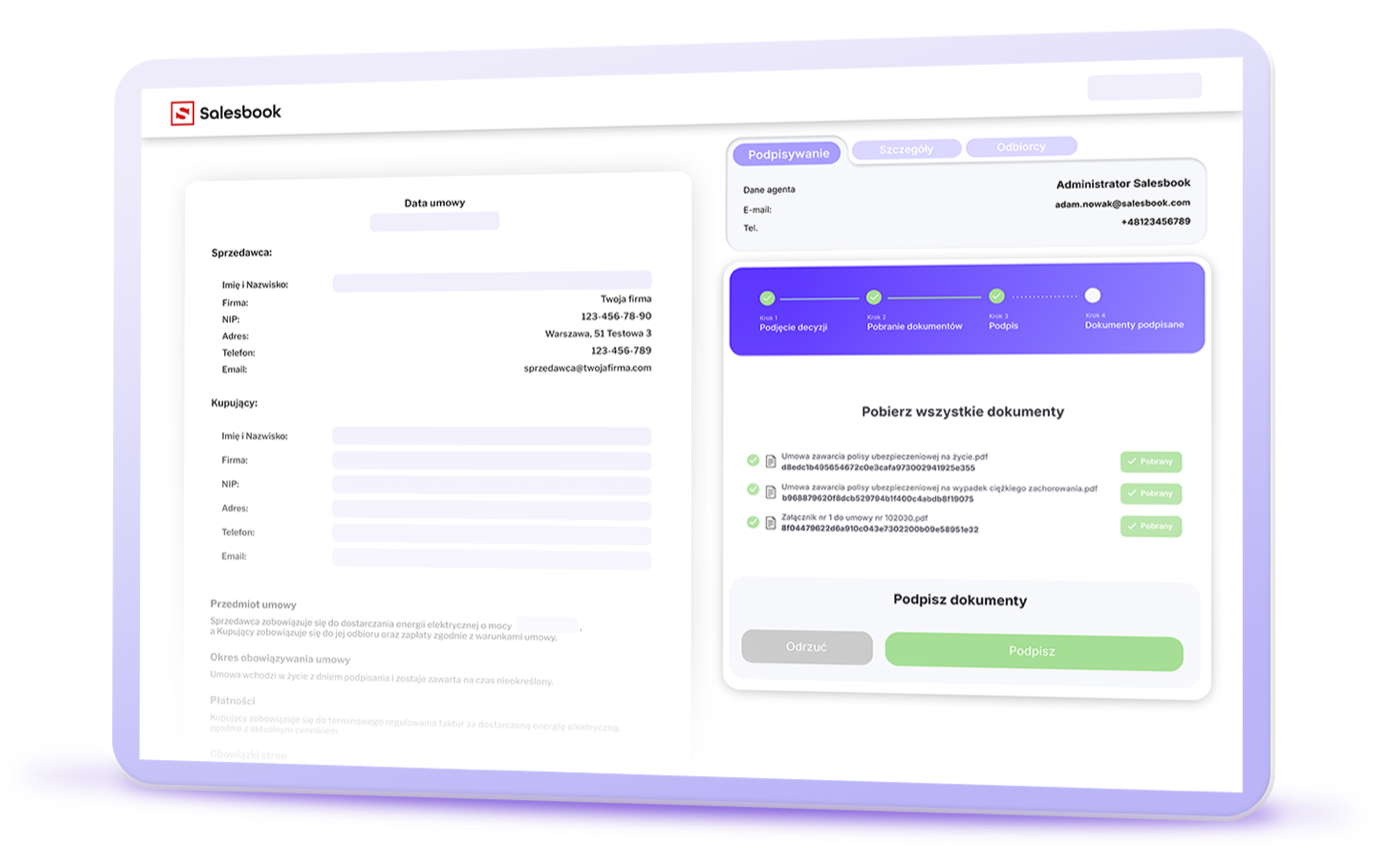
Salesbook eSign removes all of these barriers. On our platform, you upload or generate a document, send a secure link, and the other party can sign it using a verification code sent via SMS or email.

Keeping order
What’s more, Salesbook eSign gives you immediate access to the CRM system, where you can manage every stage of the signing process and store documents in a structured archive.

Automation
This is the most intuitive way to sign and store documents – fast, secure, and fully automated.
How does Salesbook eSign work?
Upload your document in seconds
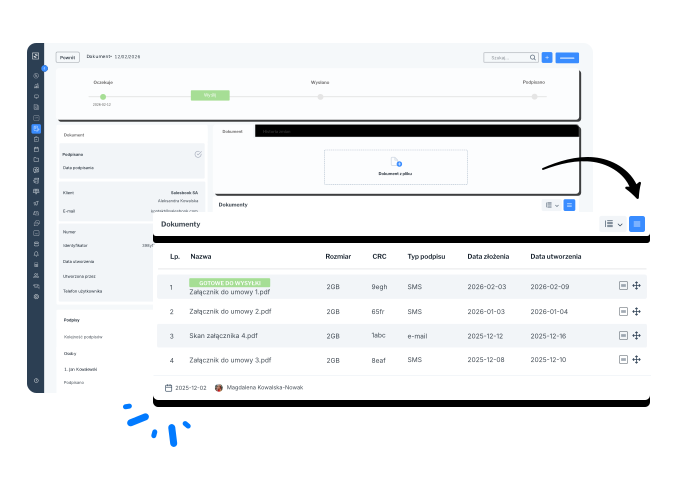
- In the Documents module, you select the document type with a single click – such as a contract, amendment, or protocol.
- You can immediately assign signatories, link the document to the appropriate CRM thread, and choose the target category.
- The system automatically sets the document number, validity date, metadata, and status.
- You can also generate a new document automatically using data already stored in the system, such as first and last names.
Define who signs and in what order
- Salesbook eSign lets you choose between sequential signing (in a defined order) or parallel signing for all parties.
- The system recognizes users from your organization as well as contacts from the company you’re signing with.
- The platform also automates notifications and document status updates based on who signed and when.
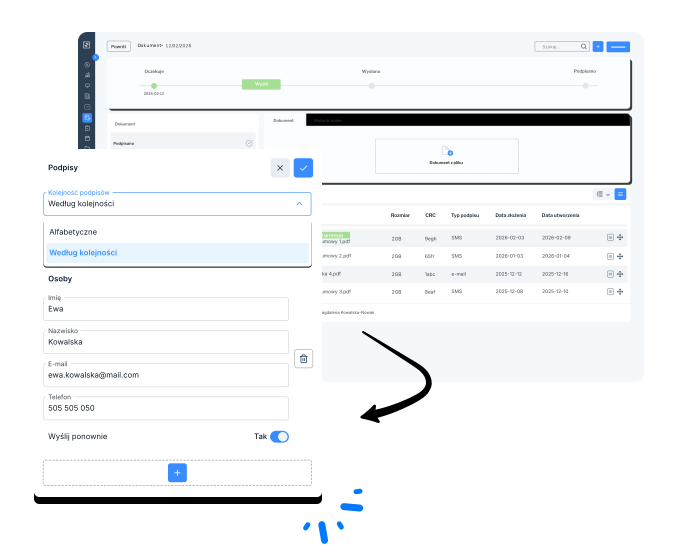
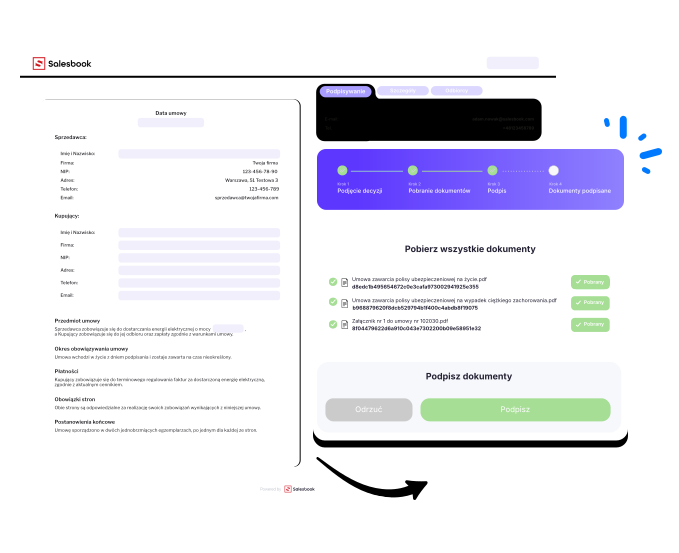
Send the link – the system handles the rest
- With one click, you send the document for signature.
- The recipient receives a link via email or SMS. When they open it, they see the document and a Sign button – no additional apps or software required.
- Clicking Sign triggers an SMS or email with a verification code.
- Once entered, the document is instantly marked as signed, and predefined automations update the relevant CRM stage.
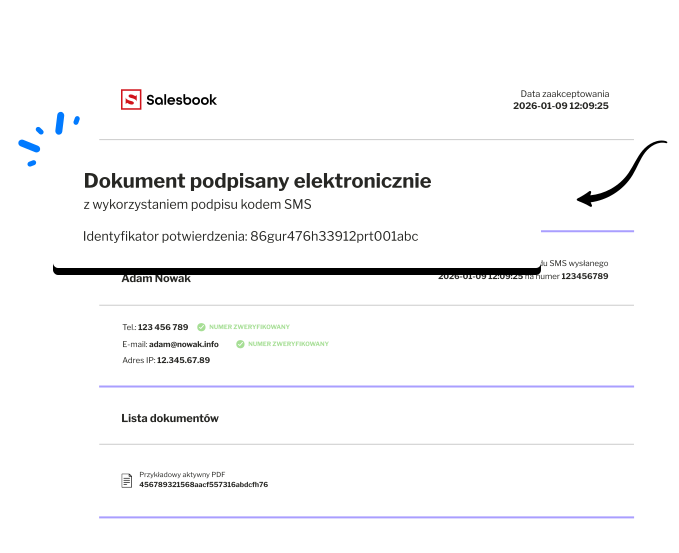
Receive a finalized PDF with signature identification
- Salesbook generates a final document with a unique identifier and a signature card containing signer details and the exact signing time.
- Every page of the document is marked with this identifier and linked to the signature card, ensuring the document cannot be altered or replaced.
What types of signatures does Salesbook eSign offer?
You can choose from two signature types tailored to your needs.
Both are compliant with the eIDAS regulation and have evidentiary value in civil proceedings.

Salesbook eSign Pro
- confirmed by Salesbook S.A.
- includes a full audit trail (logs, SMS, IP address, hash, timestamp)
- may serve as a basis for a civil-law agreement, provided the other party accepts it

Salesbook eSign Ultimate
- confirmed by a qualified trust service provider, such as EuroCert S.A.
- guarantees document integrity and origin from Salesbook S.A.
- verifiable in ETSI-compliant software (Adobe Reader, DSS) as an organizational qualified signature
- provides full legal force equivalent to a qualified signature of a natural person
Why do companies choose Salesbook eSign?

Sales cycles reduced to minutes, not days
Signature in a few minutes
When clients can sign instantly – without installing software or logging in – the signing process accelerates dramatically, allowing your team to focus on higher-value tasks.

Full automation with zero errors
Error-free automation
The system automatically manages statuses, numbering, identifiers, and expiration dates. No manual actions are required – document status updates happen automatically once signatures are collected.
One unified ecosystem instead of multiple tools
One tool
You don’t need external platforms like DocuSign or Autenti. Document creation, sending, signing, and archiving all happen inside Salesbook, fully integrated with CRM – no extra integrations or additional costs. You can manage organizations, contacts, the signing process on a Kanban board, and your signed document archive in one system.
Transparency and security at every step
Zero barriers
Each document follows a clear path: Pending Signature → Sent → Signed.
Everything is stored in one place, and the final PDF includes full signature identification.
A better client experience means higher completion rates
Full control
Signing via Salesbook eSign is simple, intuitive, and easily accessible. Clients don’t need an account, an app, or any prior knowledge of additional tools.
Which companies already use Salesbook eSign?
Our contract signing mechanism is used by some of the largest companies in the country. Join our growing list of satisfied customers.








Where can you use Salesbook eSign?
B2C and B2B sales
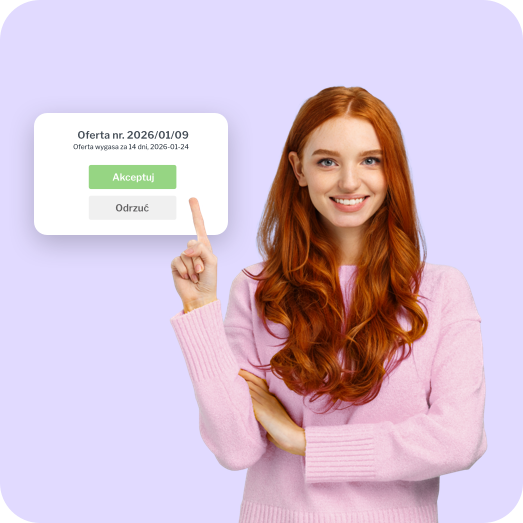
Commercial contracts, final offers, amendments – signed immediately once the client agrees.
Post-sales processes
Handover protocols, delivery confirmations, installation or service documentation.
Customer onboarding
Initial documents, confirmations, consents – faster, simpler, and error-free.
Internal documentation
Signatures from internal teams – executives, operations, managers – without the need for physical presence.

5 key benefits for your business
Instant
client-side signing one link plus an SMS or email code, no friction.
Full sales automation – statuses, numbering, and metadata update automatically.
Secure and transparent process – final PDF with a unique identifier and signature history.
Faster deal closure – agreements finalized in minutes, without physical documents.
No additional tools – document signing fully handled inside Salesbook eSign.
Signing contracts has never been easier. See Salesbook eSign in action
Schedule a free demo and see how quickly you can sign documents in your company – without delays, paperwork, or chaos.
Book a free Salesbook eSign demo