 EN
EN  PL
PL  DE
DE 


CRM for B2B – How to Choose the Right System


Choosing the right CRM system for B2B is one of those decisions that can either accelerate growth—or quietly slow your business down for years. The problem is that many companies still select CRM software based on feature lists and comparisons, rather than on their real sales process, team maturity, and how sales reps actually work day to day.
As a result, the CRM often turns into a mandatory reporting tool instead of a system that supports closing deals, building customer relationships, and forecasting future sales. In this article, we’ll show how to choose a CRM for B2B the right way—step by step, without marketing hype, and based on real-world sales practice, customer data, and proven implementations.
What CRM Really Is in B2B Sales—and What It Shouldn’t Be
CRM stands for customer relationship management. In B2B practice, however, a CRM system is the central command center for the entire sales process—from the moment of first contact, through every stage of the customer journey, to closing the deal and managing long-term cooperation.
A good CRM system for business-to-business sales is not a digital address book or a glorified spreadsheet. It is customer relationship management software that organizes business processes, centralizes all your customer data in one place, and allows sales teams to work from a single source of truth—without chaos, assumptions, or “I have it somewhere in my email.”
In B2B sales, success depends on factors that most generic CRM tools underestimate:
- long and complex decision-making cycles,
- multiple stakeholders on the customer side,
- complex offers and services,
- customer relationships built over months—not one phone call.
That’s why a CRM system must support managing customer relationships, not just storing customer information. It should provide a full view of customer interactions and contact history, enable personalization based on customer preferences, and support planning next steps across the entire sales pipeline—in a way that is consistent for the whole organization.
In other words, CRM should actively support strong customer relationships and the entire customer lifecycle. It should help sales reps understand the particular customer they are working with, track interactions with customers across channels, and improve customer experience—not merely collect data.
What CRM Should Not Be
A CRM system should not be:
- a tool used exclusively for management reporting,
- a system that lives its own life, disconnected from the daily work of sales reps,
- another piece of management software people log into simply because “they have to.”
In real B2B environments, the best CRM solutions are those that actively support selling—not just collecting customer data. If a CRM system helps a sales rep prepare offers, manage a visual sales pipeline, and access complete customer information in one place, it starts delivering value. If it doesn’t, it quickly becomes a cost center rather than an investment.
Why Traditional CRM Systems Fail in B2B Sales
Many CRM vendors still design their CRM software as if sales worked the same way everywhere: short cycles, one decision-maker, quick deals. But business-to-business sales simply don’t work that way—and that’s where problems begin.
Missing Context of the Sales Process
The first major issue is the lack of real sales process context. Traditional CRM systems often fail to support long-term customer relationships. They don’t differentiate between a lead from a marketing form and potential customers who have been in conversations for six months.
As a result, sales teams work inside a CRM system that doesn’t reflect reality. Even when dashboards show “real-time” metrics, the numbers are detached from actual customer interactions, active negotiations, and the true state of the sales pipeline.
No Support for Complex Decision Structures
The second problem is the inability to manage complex buying groups. In B2B, you rarely sell to one person. You deal with procurement teams, executives, end users, technical reviewers, and customer service stakeholders.
A CRM system that cannot handle multiple customer accounts, roles, and decision-makers within a single organization fails at managing customer relationships—no matter how polished the interface looks.
Disconnected From Daily Sales Work
The third—and most common—reason CRM implementations fail is that they are detached from the daily reality of sales reps. If a CRM system doesn’t simplify work, doesn’t automate routine tasks, and doesn’t reduce manual data entry, sales teams will avoid it.
At that point, even the most advanced CRM tools turn into a static database of outdated crm data, instead of a living system that supports sales strategies and future sales.
Poor Scalability and Integration
Scalability is another critical issue. A CRM system that works for a small business often collapses when the business grows and sales depend on collaboration between sales and marketing teams, customer service teams, and integrations with ERP or marketing automation platforms.
That’s why more companies are realizing that the real problem isn’t the lack of a CRM system—it’s choosing the wrong CRM. One that tries to force B2B sales into a simplified, business-to-consumer model instead of adapting to real business operations.
And this is exactly where the meaningful conversation begins: not about CRM rankings conveniently published by CRM vendors themselves, but about CRM solutions designed around real sales processes, real customer journeys, and real customer expectations.

The Most Important Criteria for Choosing a CRM for B2B
Choosing a CRM system for B2B sales should not start with price comparisons or browsing rankings that—conveniently—are always won by the author of the list. The real question is much simpler and far more important: does this CRM system fit the actual sales process of your business—with all its complexity, long decision cycles, and multiple stakeholders on the customer side?
A good crm for b2b organizes business processes, centralizes customer data, and supports sales force automation where it genuinely adds value. A bad one forces rigid workflows that look good in a demo but break down in real-life sales conversations.
Aligning the CRM With the Real Sales Process
Every B2B company has its own sales process. Sometimes it’s straightforward. More often, it consists of multiple stages, long pauses, returns to conversations from months ago, and work with potential customers who say, “not now—but let’s stay in touch.”
A CRM system should reflect this reality rather than oversimplify it. That means enabling teams to:
- define custom stages within the sales pipeline,
- manage a visual sales pipeline that mirrors how deals actually progress,
- focus on managing customer relationships, not just tracking individual leads.
In practice, this also requires full access to customer information and the complete history of customer interactions—from the first contact, through meetings and sales calls, to offers and signed agreements. A CRM system that fails to provide full context around customer relationships quickly becomes ineffective, especially in B2B environments built on long-term cooperation.
This is where the difference between a “universal” CRM and true customer relationship management software for B2B becomes clear. In the latter case, the crm software works with the sales process instead of trying to replace it—supporting real workflows, real decision paths, and real customer journeys.
Supporting Sales Reps’ Work — Not Just Reporting
One of the most common reasons CRM implementations fail is simple: the CRM system was designed primarily for reporting, not for the real work of sales reps. On paper, everything looks fine—customer data is stored, key metrics are tracked, dashboards are available for leadership. In reality? Sales teams see the CRM as a necessary evil rather than a tool that helps them sell.
In B2B, a CRM system should simplify daily work, not make it more complicated. An intuitive interface, quick access to customer information, and mobile access that supports work in the field are no longer optional—they’re the baseline. Without them, the CRM exists alongside the sales process instead of being part of it.
Equally important is sales force automation, but applied with common sense. A CRM should automate routine tasks such as administrative work, reminders, follow-ups, and selected marketing campaigns—not force sales reps into more clicks and manual data entry than before. When a system genuinely delivers time savings, sales reps adopt it naturally. When it doesn’t, even the most advanced CRM tools fail to gain traction.
That’s why more companies are turning toward CRM solutions that connect customer relationship management directly with practical sales activities—creating offers, running presentations, and capturing insights from meetings. This approach reflects how sales actually works, rather than the traditional “enter data, generate reports” model that adds little value to real customer interactions.

Analytics and Forecasting Instead of Manual Reports
B2B sales is driven by strategic decisions, and strategic decisions require data—current, reliable, and consistent. A modern CRM system should deliver reporting in real time, not force teams to compile spreadsheets at the end of every month.
Effective analytics in customer relationship management is about much more than charts and dashboards. A well-designed analytical CRM enables teams to:
- monitor progress across every stage of the sales pipeline,
- evaluate the performance of individual sales reps and entire sales teams,
- create accurate sales forecasts based on real data, not gut feeling.
When all customer data is centralized in a single CRM system, leaders gain a clear, shared view of what is actually happening in sales—without assumptions, conflicting reports, or outdated numbers. This single source of truth allows organizations to move beyond basic managing customer relationships and toward measurable improvements in business performance.
At this point, CRM stops being just a tool for storing customer information and becomes a platform that actively supports revenue growth, data analysis, and smarter sales strategies.
In practice, this is where the real difference becomes visible—between systems that merely “have reports” and CRM solutions that truly support B2B sales. The latter don’t rely on manual work or after-the-fact analysis. They surface the right insights at the right time, enabling teams to act immediately and plan future sales with confidence.
CRM for B2B and Sales Automation — Where to Draw the Line
Automation in a CRM system can be a powerful competitive advantage. It can also damage customer relationships just as effectively. The line between the two is simple: it’s where common sense ends.
In B2B sales, sales force automation makes sense when it:
- eliminates repetitive tasks and administrative work,
- organizes business processes and reminds teams about next steps,
- allows sales teams to focus on real conversations and customer interactions, not on clicking through forms.
Problems start with over-automation. Automated emails sent without context, rigid outreach sequences that ignore the actual stage of the sales process, or generic marketing campaigns that fail to distinguish a particular customer from a strategic B2B account—all of these quickly erode trust and hurt customer satisfaction.
A good CRM for b2b enables automation where it supports relationships, not where it replaces them. The role of the CRM system is to assist sales reps—not to conduct conversations on their behalf. In practice, this means enabling personalization based on customer preferences, flexible workflow automation, and conscious decisions about what to automate and what should remain human.
That’s why more companies are choosing CRM solutions that treat automation as a tool, not an objective. A CRM that understands B2B sales doesn’t try to “sell automatically.” It supports sales reps at every stage of the customer journey.
Integrations That Truly Matter in B2B
A CRM system that operates in isolation quickly becomes ineffective. In B2B sales, success depends on how well the CRM integrates with the rest of the company’s ecosystem—rather than creating yet another data silo.
In practice, the most valuable integrations connect the CRM system with:
- marketing tools that support marketing efforts, social media, and manage leads by capturing activity from potential customers,
- tools for creating offers and contracts, so sales reps always work with up-to-date pricing and product data,
- ERP and other business operations systems that store information about service delivery, invoices, and project status.
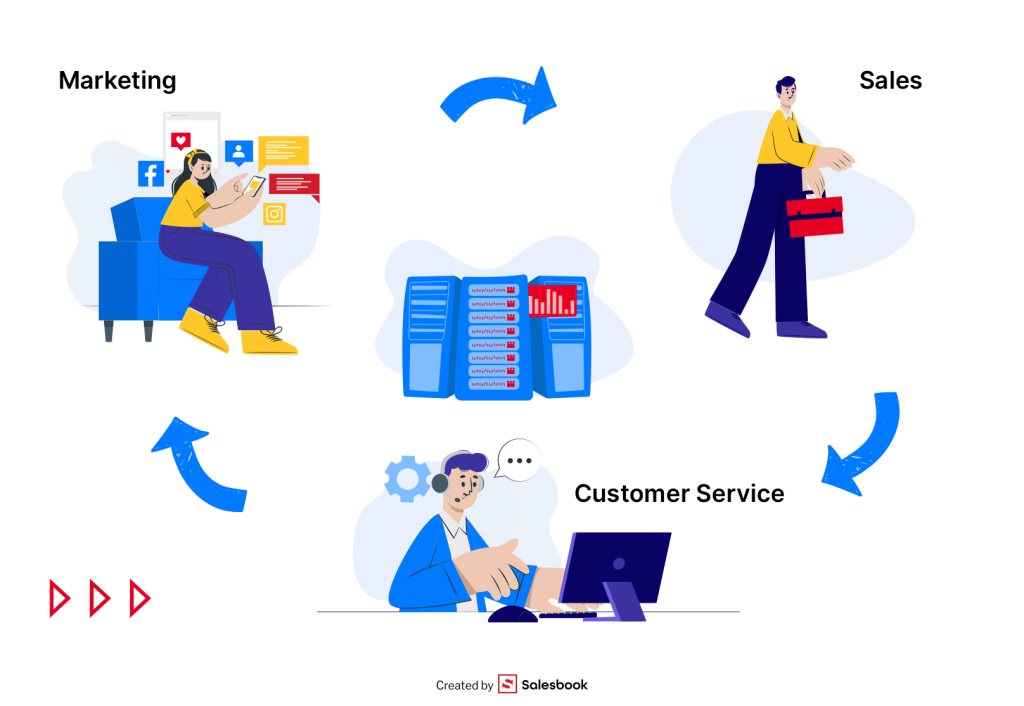
With these integrations in place, the CRM system becomes a true single source of truth—a centralized hub for all your customer data, accessible to sales and marketing teams as well as customer service teams. Instead of multiple versions of reality, the organization operates on one consistent view of customer accounts and customer relationships.
In a well-designed setup, sales reps can see customer information, interaction history, offers, contract status, and collaboration context in one place. This delivers real time savings, reduces unnecessary data entry, and provides meaningful support for daily work.
As always, caution is advised with marketing promises. An integration that looks good on a slide is not the same as one that actually works and simplifies business processes. In B2B, only integrations that genuinely improve efficiency, collaboration, and the customer experience make a difference.
The Most Common Mistakes When Choosing a CRM for B2B
This list shows up in company after company—regardless of industry or team size. And interestingly, it’s rarely caused by a lack of budget. Much more often, the problem lies in flawed assumptions made at the very beginning.
1. Choosing a CRM Based on Rankings and Comparisons
Especially those published on the blogs of… CRM vendors themselves. If a comparison always ends with the author’s product on top, that’s a clear red flag. A CRM system selected this way rarely supports real customer relationships or the actual sales process.
2. Focusing on Features Instead of the Sales Process
Feature-heavy CRM software that doesn’t fit how your sales actually work quickly becomes a burden. The more features that don’t align with daily workflows, the more frustration for the user—and the lower the adoption across sales teams.
3. Excluding Sales Reps From the Decision
A CRM system implemented top-down almost never succeeds. If the system doesn’t support the daily work of sales reps—managing customer interactions, building customer relationships, and moving deals through the sales pipeline—it simply won’t be used, no matter how strong the reporting capabilities are.
4. Underestimating the Importance of Implementation
A CRM is not an app you “just install.” Successful implementation requires adapting business processes, training employees, and giving the team time to adjust. If a vendor promises “buy it and start working immediately,” it usually means they don’t understand the realities of business-to-business sales.
5. Ignoring Integrations and Scalability
A CRM system that works today but doesn’t scale as your business grows will quickly become a limitation. Without proper integrations and long-term scalability, even solid CRM solutions can hinder business performance instead of improving it.
Companies that avoid these mistakes treat customer relationship management as an investment in long-term customer relationships, not as mandatory management software for reporting. And that mindset is what allows a CRM system to genuinely support B2B sales—rather than slow it down.
How to Evaluate a CRM Before Implementation — The Questions You Must Ask
Before you decide to implement a CRM system, it’s worth slowing down and asking a few uncomfortable—but critical—questions. Not to the vendor. To yourself and your team.
Does the CRM truly reflect our sales process?
If, even during the demo, you already have to bend your sales process to fit the system—rather than the other way around—that’s a warning sign. A CRM for B2B should support complex workflows and long sales cycles, not simplify them for the sake of convenience.
In business-to-business sales, the CRM system must adapt to how deals actually move forward, how decisions are made, and how customer relationships develop over time.
Will sales reps actually want to use it?
An intuitive interface, quick access to customer data, and logical managing customer relationships matter far more than an impressive list of features. If a CRM system complicates daily work, sales reps won’t adopt it—no matter how powerful the dashboards look.
CRM tools only work when they support real workflows: conversations, follow-ups, meetings, and next steps in the sales pipeline.
Does the system provide full control over data and compliance?
Managing customer information, interaction history, marketing consents, and user permissions is no longer optional—it’s standard. In B2B, where customer relationships often last for years, clean data, clear ownership, and regulatory compliance (such as GDPR) are non-negotiable foundations of a reliable CRM system.
Does the CRM offer real-time reporting?
If you still need manual reports, spreadsheets, or email summaries to understand performance, the system isn’t doing its job. A modern CRM system should support strategic decisions with up-to-date insights—using live crm data, not after-the-fact reports.
What does real implementation look like—beyond the demo?
A free trial account can be useful, but real implementation starts after the purchase. That’s when real leads, real offers, and real customer interactions appear—and when complexity increases fast.
Be cautious if a vendor claims you’ll “implement it yourself because it’s intuitive.” In practice, that often means sales teams spend weeks struggling to configure workflows, calling support lines repeatedly, and trying to make the system fit real-world selling. By the time the CRM starts delivering value, much of the team may already be frustrated and exhausted.
A CRM system should reduce friction—not add another layer of operational stress.

CRM for B2B in Practice — What Sales Teams Need Today
Today’s B2B sales teams work very differently than they did just a few years ago. Selling happens in the field, online, on the road, and between meetings. That’s why a CRM system must keep up with reality—not force teams back into outdated workflows.
Mobility and Field Work
A mobile CRM app is no longer a nice-to-have—it’s a requirement. Sales reps need mobile access to customer data, interaction history, and the current status of the sales process exactly when they’re meeting a customer, not after they return to the office.
Without real-time access to customer information, sales calls lose context, follow-ups become less relevant, and the overall customer experience suffers.
Consistent Communication and Personalization
A CRM system should support personalized offers and messages—not generic communication sent without context. In B2B, customer satisfaction is built by aligning communication with the stage of the customer journey, not by automated sequences sent to everyone.
Effective customer relationship management means understanding customer expectations, preferences, and timing—and using that insight to deliver relevant, personalized customer experiences.
Presentations, Offers, and Needs Analysis in One Ecosystem
Increasingly, a CRM system is no longer just a database. It becomes the workspace where sales teams use ready-made templates for offers, presentations, and tools that support needs analysis.
This is the point where a CRM system starts to actively support revenue growth, not just organize data. By combining crm tools for selling, analyzing customer needs, and managing customer interactions, teams can move faster while maintaining consistency and quality.
AI—Used With Purpose
Artificial intelligence in CRM makes sense when it supports data analysis, performance monitoring, and smarter planning. It does not make sense when it tries to replace human relationships.
In B2B sales, technology should enhance decision-making, improve forecasting, and support future sales—while leaving relationship-building to people. The best CRM solutions use AI to support sales strategies, not to automate trust.
Salesbook — A Complete CRM and Sales App Ecosystem Built for B2B
While many CRM systems stop at “managing customer data,” Salesbook starts where real B2B sales begin—at the customer meeting, the needs conversation, and the sales rep’s work in the field.
Salesbook is not a random collection of features. It is a cohesive ecosystem:
CRM system + mobile application + offer and contract generation + analytics and reporting, all designed as one unified environment for B2B sales teams.
In practical terms, this means one thing: the system adapts to your sales process—not the other way around.
Customer Needs Analysis That Actually Feeds the CRM
One of the biggest weaknesses of traditional CRM systems is that customer data enters the system “later”—often after the meeting, from memory, in a rush, or not at all. In Salesbook, customer needs analysis is an integral part of the workflow during the meeting, not an afterthought.
Sales reps capture customer information—including challenges, expectations, decision criteria, and preferences—directly in the application in a structured, standardized way. These insights don’t get lost in notes, emails, or follow-ups. Once the meeting ends, all customer data is automatically saved in the CRM system, creating a complete, shared context for managing customer relationships across the entire team.
This approach eliminates manual data entry, improves the quality of crm data, and ensures that every customer interaction strengthens the broader understanding of the customer journey—not just for one sales rep, but for sales, marketing, and customer service teams alike.
From Meeting Data to Qualitative and Quantitative Reports
What sets Salesbook apart from many CRM systems is how it works with data. Information collected during a meeting is not treated as a simple customer profile. Instead, it becomes the foundation for both qualitative and quantitative reporting—without requiring sales reps to manually re-enter anything.
The system makes it possible to analyze, among other things:
- individual stages of the sales process and their effectiveness across the sales pipeline,
- real customer needs and recurring patterns across accounts,
- the quality of sales reps’ work—not just the volume of activities,
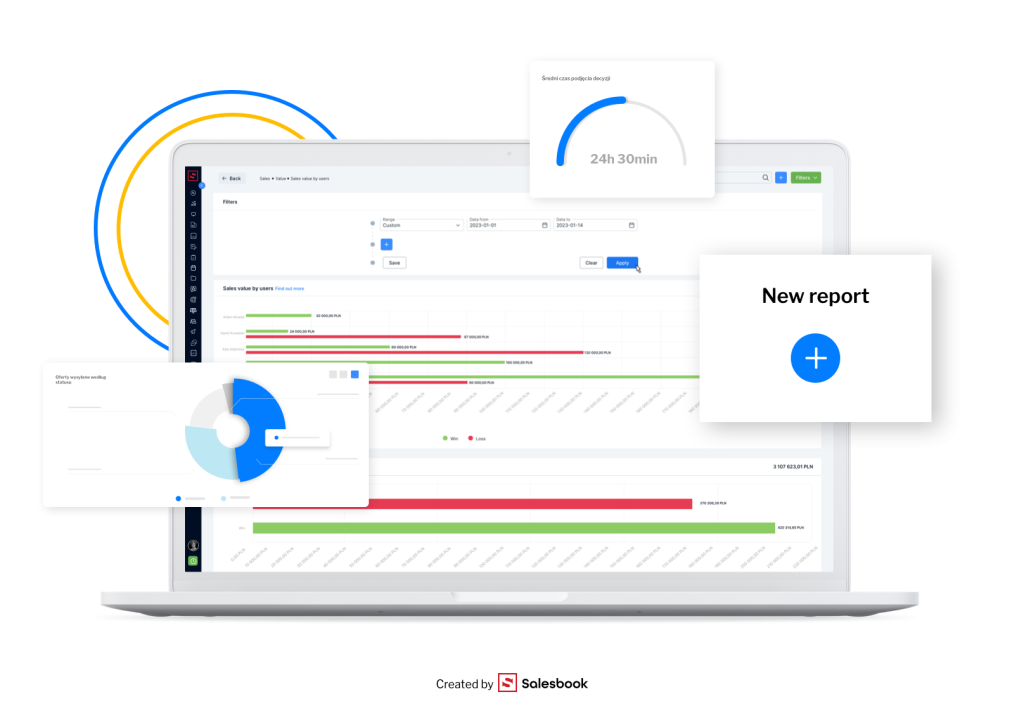
- sales data in real time, without manual reports or spreadsheets.
As a result, Salesbook’s analytical CRM module is not designed for control alone. It actively supports data analysis, strategic decision-making, and more accurate sales forecasts, helping sales leaders improve planning, execution, and overall business performance based on reliable CRM data.
A Mobile App That Eliminates “After-Hours Admin Work”
In B2B sales, a sales rep’s time is far too valuable to be spent updating a CRM system after every meeting. That’s why Salesbook’s mobile app was designed to dramatically reduce administrative work—and eliminate the need for “work after work.”
Using a tablet, sales reps can:
- run the meeting,
- capture customer data and customer needs,
- use sales materials and offers in real time,
- end the meeting—and that’s it.
All information is automatically saved in the CRM system. No manual data entry, no “I’ll update it later,” and no gaps in customer information. By helping sales teams automate routine tasks, this approach significantly improves data quality, team efficiency, and consistency across the entire sales process.
The result is better business performance, higher adoption among sales reps, and a CRM system that truly supports real-world selling—rather than slowing it down.
A Demo That Analyzes Your Sales Process — Not Just the Software
Salesbook deliberately does not offer a standard “free trial account.” Instead, it focuses on live demos built around real business context. During a live session, a Salesbook specialist:
- analyzes your actual sales process,
- walks you through all key CRM system features,
- shows how the system can be tailored to your team, workflows, and business model.
After implementation, customers are not left on their own. Every company works with a dedicated implementation team and a named account manager who can be contacted directly at every stage of using the system. This approach ensures that the Salesbook CRM system and mobile app are not just another box to check—but a real, operational foundation for B2B sales, from the first meeting and needs analysis to reporting and long-term team development.
Summary — How to Choose a CRM That Truly Supports B2B Sales
A good CRM for B2B is not a system that tries to do everything. It’s a solution aligned with your company’s reality—your sales process, your team’s way of working, and how customer relationships are actually built.
The right CRM system centralizes customer data, organizes business processes, and actively supports sales reps at every stage of the relationship. It doesn’t exist for reporting alone—it exists to improve execution.
When choosing a CRM, it’s worth remembering that:
- a CRM should simplify daily work, not complicate it,
- automation should support relationships, not replace them,
- reporting and analytics must be based on real-time data,
- integrations with other systems determine the effectiveness of the entire solution.
Companies that approach customer relationship management consciously stop treating CRM as mandatory software. They begin to see it as a strategic tool for building long-term customer relationships, improving customer retention, and managing B2B sales more effectively.
And this is where solutions like Salesbook increasingly stand out—not as “just another CRM,” but as an integrated environment that combines relationship management, the sales process, offers, presentations, analytics, and execution into one coherent ecosystem. No vendor-written rankings. No empty promises. Just software designed around how B2B sales actually works.
If a CRM system is meant to support sales—not just measure it—the right choice always starts with understanding the process. Everything else follows from there.
FAQ – CRM for B2B
What role does CRM play in sales and marketing alignment?
A modern CRM connects sales and marketing efforts by centralizing client information from multiple sources, including social media, campaigns, and direct interactions. This alignment helps teams coordinate customer acquisition, follow-ups, and communication across the entire funnel.
What is an operational CRM and when is it needed?
An operational CRM supports day-to-day sales, marketing, and service activities. It helps teams automate repetitive tasks, manage customer interactions, and streamline workflows across sales service marketing commerce, making it essential for scaling B2B operations.
How does CRM support better decision-making?
CRM systems enable analyzing past sales data and use predictive analytics to forecast outcomes and identify trends. These insights help sales leaders improve planning, resource allocation, and overall business performance.
Can CRM help improve customer satisfaction and loyalty?
Yes. By giving teams full visibility into customer history and preferences, CRM helps improve customer satisfaction, strengthen customer loyalty, and deliver more consistent, personalized experiences throughout the relationship.
How does CRM support teamwork across departments?
A collaborative CRM allows sales, marketing, and support teams to work on the same data set, share insights, and coordinate actions. This collaboration is critical for improving customer relationships in complex B2B environments.
What CRM features matter most in B2B sales?
The most important key features include workflow automation, analytics, reporting, and integrations. Strong crm features also cover customer service tools, advanced marketing capabilities, and tools that support long-term relationship management.
How does CRM contribute to customer acquisition and growth?
By organizing client information, supporting targeted campaigns, and tracking interactions across channels, CRM helps teams optimize customer acquisition strategies and continuously improve customer relationships as the business grows.
Table of Contents