 EN
EN  PL
PL 


Workflow Management – Proven Methods, Tools, and Examples for Better Productivity


Work today feels faster, louder, and more demanding than ever — deadlines stack up, messages never stop, and distractions fight for every second of attention. In this constant rush, workflow management becomes the quiet superpower that separates chaos from clarity. It’s more than scheduling tasks or checking boxes; it’s about structuring business processes so you can achieve meaningful results, stay focused, and actually enjoy the process of getting things done.
Psychologists note that a well-organized day increases our sense of control and accomplishment, which directly contributes to happiness — just like regular exercise or maintaining close social bonds.
Why Is Workflow Management the Key to Success?
Without a clear workflow process, even the most ambitious projects can easily fall into chaos. Workflow management is not only a managerial tool — it’s the foundation of every professional role. A well-designed structure for your day allows you to set priorities, reduce wasted time, and react more effectively to unexpected challenges.
A psychological insight: research by Roy Baumeister on ego depletion shows that our willpower and decision-making capacity diminish as the day goes on. That’s why the better we plan our workflow steps in the morning, the less energy we waste later deciding where to start.
Effective workflow management systems also improve predictability and reduce stress. In business, that translates into better team efficiency and higher productivity among team members; in personal life — it means balance, calm, and a stronger sense of control. In short, without systematic action and a well-thought-out workflow management system, it’s nearly impossible to achieve long-term goals or sustainable growth.

Setting Clear Goals as the Foundation of Effective Workflow Management
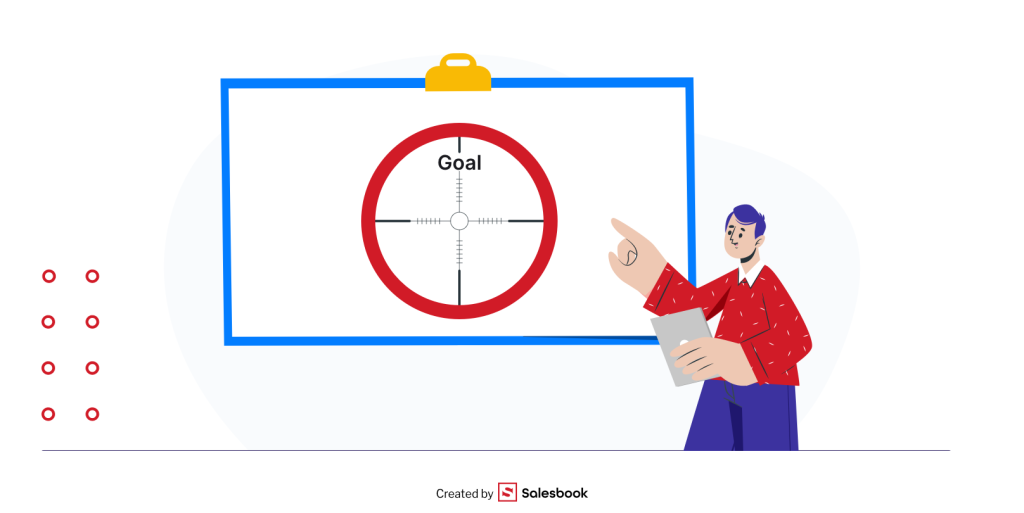
The first step toward truly efficient workflow management is defining your goals. They give direction and purpose, preventing you from running in circles and wasting time on unstructured efforts. Motivation psychology is clear about one thing: people who set specific goals are more consistent and perform better. Edwin Locke and Gary Latham — the creators of the goal-setting theory — proved that goals which are challenging yet achievable lead to higher performance than easy or vague ones.
Example? Instead of saying, “I want to read more,” write down: “I will read one business book per month over the next six months.” This kind of structured path not only defines direction but also provides a measurable indicator of progress.
Well-defined goals work like a lighthouse — they guide you even when the fog of daily problems blurs the horizon. That’s why your goals should be clear, ambitious, and aligned with the broader vision of your life or organization.
Defining Tasks Step by Step – How to Turn Plans Into Action
Goals are like a map — they show the destination. But to actually get there, you need a workflow process that breaks your plans into specific workflow steps. Without a clear list of tasks, it’s easy to fall into the trap of postponing work or focusing on details that don’t bring you closer to results.
How to approach it? The simplest way is to divide every large project into smaller, manageable stages and assign priorities to each. This is where the so-called “bite-size chunks” rule works perfectly — break big problems into digestible pieces. In practice, instead of writing “complete annual report,” you might note: “collect financial data,” “prepare graphs,” “write introduction and summary.”
An interesting psychological insight: research confirms that our brains love closing “cognitive loops.” This is known as the Zeigarnik effect — unfinished tasks occupy space in working memory and cause tension. That’s why even small completed workflow steps reduce stress and increase the sense of progress.
That’s exactly why effective workflow management begins with a simple question: What’s the first step required to move forward? The answer leads straight to real action — not just thinking about it.

Workflow Management Methods – Which Ones Work Best in Business?
There’s no single “golden formula” for perfect workflow management. Everyone functions differently — some thrive under pressure, while others need a calm rhythm and structured planning. That’s exactly why so many methods and frameworks exist to help manage tasks, time, and business processes more effectively. Below are proven techniques used in both daily life and business to boost improved productivity and simplify task execution.
The Pomodoro Technique
One of the most popular workflow management tools in the world, the Pomodoro Technique divides work into short intervals — usually 25 minutes — followed by a 5-minute break. After four such cycles, you take a longer break. This structured path helps sustain focus, maintain energy levels, and prevent burnout throughout the day.
Research shows that people who use the Pomodoro Technique are less prone to procrastination because they think in terms of “just one more Pomodoro” instead of “I need to work for three hours.” It’s a simple yet powerful example of how even small process improvements can make a big difference in managing time and workflow steps.

Getting Things Done (GTD) – David Allen’s Proven Workflow Management Method
GTD is a true classic in the world of workflow management. Its foundation lies in creating detailed task lists that help you “clear your mind” from the clutter of responsibilities. Every idea, obligation, or project is written down in one trusted workflow management system so it doesn’t occupy mental space. Then, each task is analyzed, assigned a time frame, and categorized — to be done immediately, delegated, scheduled for another day, or postponed for later.
In practice, GTD teaches how to manage priorities effectively and avoid overlooking important workflow steps simply because something “slipped your mind.” It’s a universal workflow management method that works just as well for business teams as it does for personal productivity, offering structure, clarity, and a sense of control in everyday business processes.
The ALPEN Method – Planning Your Day in 5 Workflow Steps
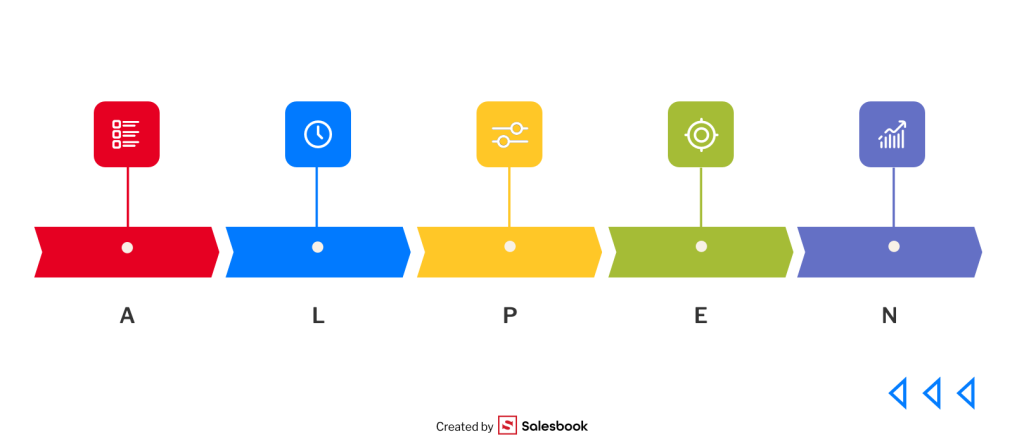
This German method is a masterpiece of simplicity — its name is an acronym for five practical workflow steps:
- A – Aufgaben (Tasks): Write down all the tasks you need to complete.
- L – Länge (Length): Estimate the time required for each task.
- P – Pufferzeiten (Buffer Time): Include buffer periods for unexpected situations.
- E – Entscheidungen (Decisions): Decide which tasks are most important and should be done first.
- N – Nachkontrolle (Review): Check your results and prepare the plan for the next day.
The ALPEN method emphasizes prioritization and realistic time management. By adding buffer time, it teaches us that overloading our workflow process can hurt quality, and true workflow management requires flexibility, focus, and a balanced approach.
The Eisenhower Matrix – What’s Important vs. What’s Urgent
The Eisenhower Matrix is one of the most practical and visual workflow management tools available. It divides all tasks into four clear categories within a workflow process:
- Important and urgent – must be completed immediately.
- Important but not urgent – require planning and specific deadlines.
- Urgent but not important – can be delegated to others.
- Neither important nor urgent – should be eliminated altogether.
This method helps establish priorities and make better decisions about which workflow steps to tackle first and which to postpone. In business, it’s often said that success depends not on how many tasks you complete, but on which ones you choose to focus on.
The Eisenhower Matrix works particularly well for large projects or complex business processes, where it’s easy to lose direction. It helps organize not only tasks but also the team’s energy and resources — ensuring that every action aligns with company goals and workflow management principles.

Timeboxing – Blocking Time for Tasks
Timeboxing is a workflow management method that assigns specific blocks of time to each task. Instead of “working until it’s done,” you decide in advance how many minutes or hours you’ll dedicate to a given activity. This structure helps maintain control over your workflow process and prevents tasks from dragging on indefinitely.
In practice, you might block two hours in your calendar to prepare a report or thirty minutes to gather the necessary documents. When the time is up, the task is either completed or moved to another time block — leaving no room for blurred boundaries. It’s one of the most effective workflow management tools for controlling time and progress, especially for those who struggle with perfectionism.
Timeboxing also reminds us that not all tasks hold equal importance — focus should stay on what truly moves you closer to your business goals. By introducing structure and balance, this method supports more efficient planning of breaks and energy management throughout the day.
Deep Work – The Art of Focused Workflow
The concept of Deep Work, popularized by Cal Newport, is a response to a world overloaded with notifications and distractions. It’s about working in complete focus — without social media, phone alerts, or email interruptions. In this state of deep concentration, you can accomplish more in an hour than during an entire day fragmented by constant context switching.
Deep Work is not just a technique — it’s a philosophy of workflow management and energy control. It teaches us to channel attention into business processes that truly matter and require creativity or analytical thinking. Psychologists emphasize that the brain performs best when it can disconnect from the environment and remain fully engaged for extended periods — this is when genuine innovation and process improvements happen.
Interestingly, Deep Work doesn’t exclude other workflow management methods like the Pomodoro Technique — they can complement each other to sustain focus over time. In both cases, the goal is the same: separate truly meaningful workflow steps from small, repetitive actions that only look like progress.

The Rule of 52/17 – Working in Sync with Your Natural Rhythm
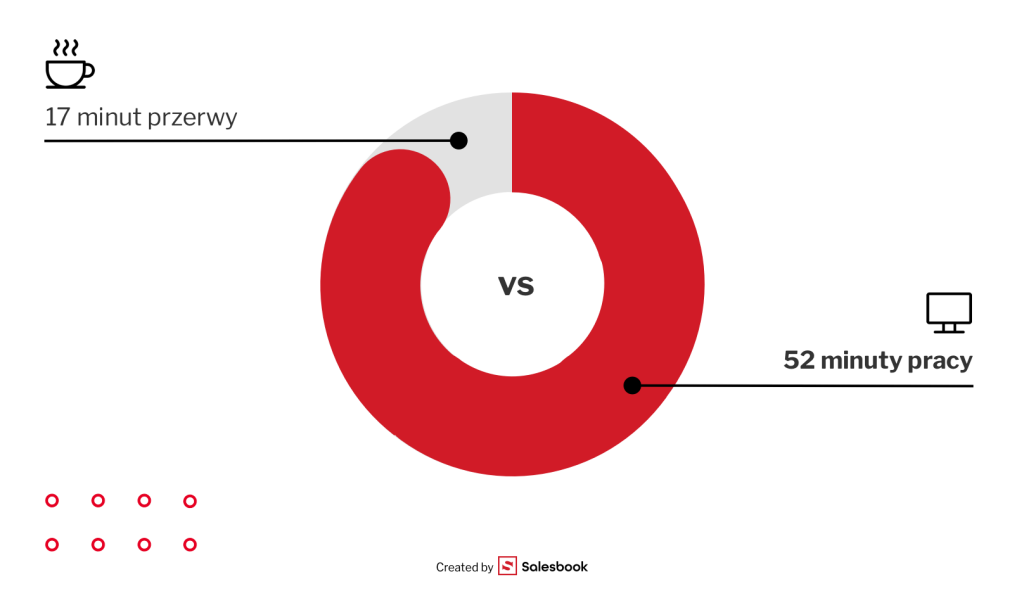
Not every workflow management method relies on willpower — some are grounded in human biology. Research by DeskTime found that the most productive employees work for an average of 52 minutes followed by a 17-minute break. This principle, known as the Rule of 52/17, shows how effective workflow management systems can be built on scientific insight rather than pure discipline.
Why does it work? Short work cycles help maintain focus and prevent burnout. Planning breaks is not an optional add-on — it’s an essential part of the workflow process. Those 17 minutes can be used for stretching, taking a short walk, or even tidying up your workspace if you work remotely.
This approach can easily be combined with other workflow management methods such as Pomodoro or Deep Work to build a rhythm that matches your own biological tempo and the nature of your business processes.
Zen to Done (ZTD) – Simplicity and Efficiency in Everyday Workflow
Zen to Done (ZTD), created by Leo Babauta, is a simplified version of the GTD system — designed to make workflow management easier, calmer, and more sustainable. Its essence lies in simplicity: instead of relying on complex workflow management software or overengineered tools, it focuses on habits, clarity, and daily consistency.
The main principles of ZTD are straightforward: write down every task, choose what truly matters, work on it step by step, and develop the habit of finishing what you start. This philosophy is the essence of effective workflow management systems — instead of complicating the structure, it reduces it to a few actionable workflow steps that anyone can follow.
ZTD also places strong emphasis on prioritization. Rather than scattering attention across ten different responsibilities, you focus on what’s essential for that day. This approach improves time organization, minimizes human error, and helps maintain control even in busy business processes.
Babauta also encourages minimizing distractions and finding your personal rhythm of work. In practice, this might mean skipping unnecessary meetings or limiting social media use. As a result, ZTD not only organizes your workflow but also transforms how you think about work itself — from chaotic multitasking to mindful execution.

Personal Workflow Management – How to Work Smarter, Not Harder
Personal workflow management is the art of balancing ambition with a healthy daily rhythm. It’s not about working longer hours — it’s about managing your business processes and personal tasks in a smarter, more sustainable way. In most cases, it’s the simplest workflow steps that determine whether you stay in control or end up overwhelmed.
In practice, effective work management means:
- creating a short daily list of the most important tasks required,
- starting the day with what truly matters,
- taking time to rest and consciously scheduling breaks within your workflow process.
Psychologists point out that the brain functions like a muscle — it needs downtime to maintain high levels of focus. That’s why it’s not a weakness to put away your phone, close your inbox, or plan digital workflows with clear offline breaks — it’s the foundation of long-term efficiency.
And if you’re looking for a workflow management system that helps you save time in sales, automate repetitive tasks, and reduce human error, try Salesbook — an intelligent tool designed to enhance every stage of your workflow.

Time Workflow Management – How to Set Priorities and Eliminate Distractions
Effective workflow management isn’t just about filling up a calendar — it’s about mastering the art of distinguishing what’s urgent from what’s truly important. One of the best-known principles that supports this is the Pareto rule (80/20) — 20% of your actions deliver 80% of your results.
How does this look in practice?
- Set priorities: Each morning, choose the three most important workflow steps that must be completed first.
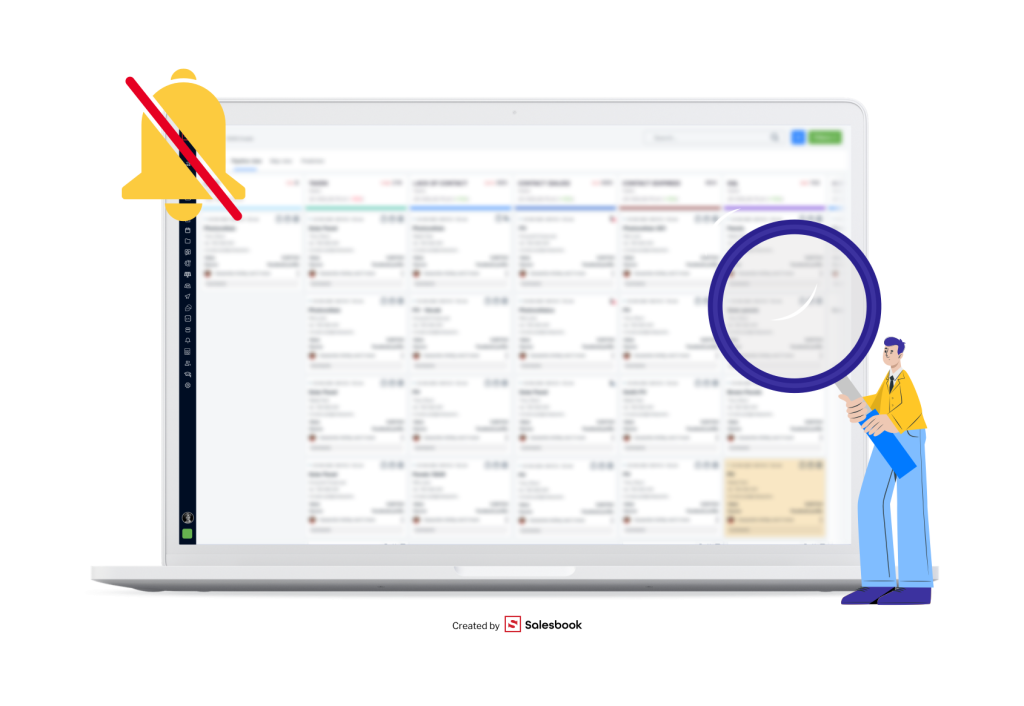
- Eliminate distractions: Limit social media use, mute unnecessary notifications, and design digital workflows that support focus instead of constant context switching.
- Create time boundaries: Schedule specific blocks for deep focus and intentional breaks within your workflow process.
Research from Microsoft shows that on average, employees check their email or messenger every 40 seconds. Each such interruption creates a manual workflow disruption — it breaks concentration and increases processing time before getting back to the next task. That’s why conscious attention management and structured workflow management systems are key to maintaining flow and improved decision making in modern business operations.
Keeping Work Time Under Control – How to Manage Effectively Every Day
Effective workflow management starts with awareness — knowing exactly where your time really goes. Many experts recommend keeping a weekly activity log: writing down how each hour is spent quickly reveals which workflow steps are essential and which can be simplified, automated, or eliminated.
Practical tips for better work control:
- Track tasks in modern workflow management software such as Trello, Asana, or ClickUp to visualize progress across all project workflows.
- Group similar duties into one time block — for instance, answering all emails at a fixed hour instead of scattering them throughout the day.
- Leave buffer time in your calendar for unexpected issues — too much rigid planning without margins often hurts overall workflow efficiency and flexibility.
With these practices, time control becomes a daily habit rather than a one-time effort. Over time, structured workflow management systems and digital workflows help create a rhythm that fosters calm, focus, and consistent results.
Effective Team Workflow Management – The Role of Communication and Collaboration
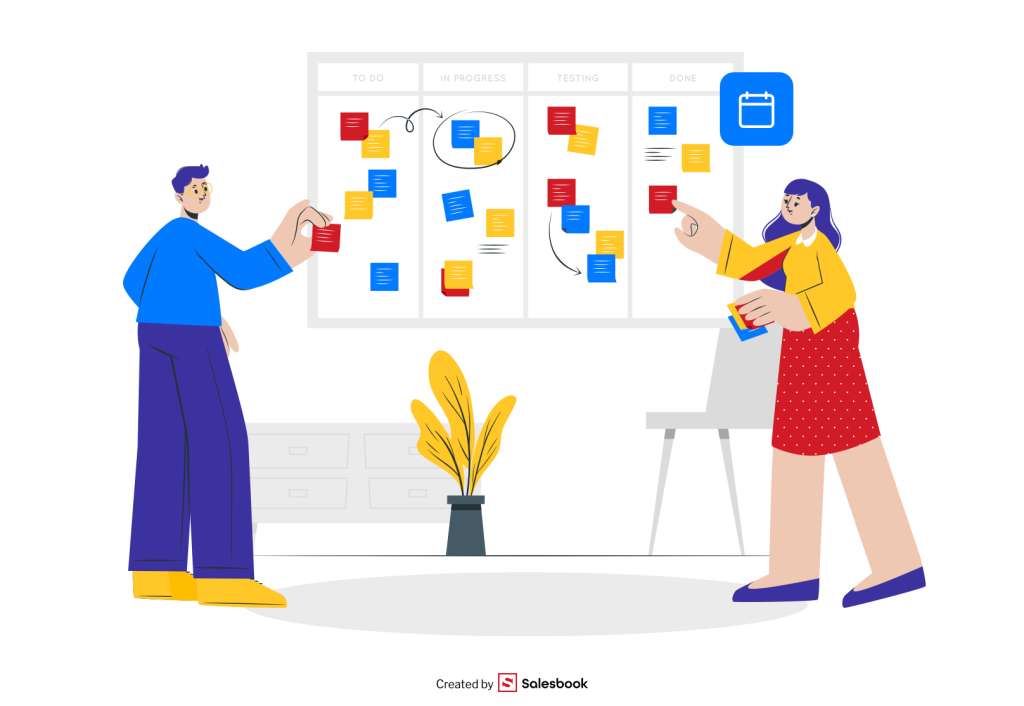
Even the best-organized individual can’t succeed alone — real results come from how well the team members work together. Strong workflow management at the team level is built on clear communication, shared responsibility, and a unified vision of success.
Key principles of effective teamwork:
- Defined roles and responsibilities: Everyone should know exactly which workflow steps fall within their scope.
- Regular meetings: Short daily or weekly check-ins keep the workflow process transparent and eliminate misunderstandings.
- Transparency: Shared boards, dashboards, and workflow management tools help visualize progress and maintain rhythm across case workflows or projects.
- Openness to feedback: This fosters process improvements, encourages innovation, and supports improved decision making when challenges arise.
A team that communicates priorities clearly and trusts each other delivers results faster and more reliably. Interestingly, Gallup research shows that employees who feel their voice is heard are 4.6 times more likely to be engaged in their business processes. It’s a reminder that team workflow management systems are not just about automation — they’re about people, relationships, and shared accountability.

Summary – Effective Workflow Management in 7 Steps
Successful workflow management isn’t an inborn talent — it’s a set of repeatable workflow steps, habits, and techniques that anyone can learn and refine. To create an efficient workflow process, all you need is:
- Clear goal-setting that defines your business process direction and clarifies how the overall process should function.
- Breaking large projects into smaller, actionable workflow steps — identifying every processing step needed to move forward and track progress through repeatable steps that ensure consistency.
- Choosing the right workflow management methods — such as Pomodoro, GTD, ALPEN, Eisenhower Matrix, Timeboxing, Deep Work, or Zen to Done — and following each method’s steps involved consistently.
- Conscious time and work management, ensuring focus and balance throughout your day, so teams work in sync and stay aligned with shared priorities.
- Scheduling regular breaks and maintaining realistic process workflows to support both individual and new employee adaptation, helping every team member follow the following steps without confusion.
- Eliminating distractions, manual processes, and repetitive tasks through workflow automation or business process automation, while reducing errors and improving quality control.
- Building collaboration around trust, communication, and transparency — supported by modern workflow management systems and digital workflows, where each workflow consists of clear responsibilities and measurable outcomes.
When implemented together, these principles help you not only achieve more but also work with greater peace, clarity, and confidence. Ultimately, workflow management means designing a system that works for you, not against you — making everyday business smoother, faster, and more human.

FAQ – Most Frequently Asked Questions About Workflow Management
1. What are the most important workflow management methods?
Among the most commonly used approaches are the Pomodoro Technique, GTD, the ALPEN Method, the Eisenhower Matrix, Timeboxing, Deep Work, and Zen to Done. These techniques support both business process management and personal efficiency by structuring workflow steps, automating manual tasks, and helping team members stay aligned.
2. What are the main benefits of effective workflow management?
A well-designed workflow management system delivers many benefits — including improved productivity, reduced processing time, and measurable cost savings. It eliminates human error, standardizes business processes, and supports data processing through workflow automation and robotic process automation. Together, these solutions contribute to reducing costs, faster decision-making, and better customer experiences.
3. How can I set the right priorities in my workflow?
Start by defining the overall business process and identifying the sequence of steps that lead to measurable outcomes. Use tools like the Eisenhower Matrix or workflow management tools to map out workflow steps and highlight the most impactful tasks. Many workflow systems also include flow control mechanisms that show which steps involved depend on others, improving visibility and coordination among team members.
4. How do I deal with distractions in digital workflows?
In digital workflow environments, distractions can easily disrupt the overall workflow process. To stay focused, apply process automation tools, block notifications, and schedule parallel workflows for different types of activities. This approach minimizes manual workflow interruptions and prevents technical issues caused by overlapping tasks. A well-defined structured path or even a structured path similar to a checklist ensures that workflows define priorities clearly and help you move seamlessly to the next task.
5. Is workflow management relevant outside of business?
Absolutely. While business process automation and workflow management software are vital in corporate settings, similar systems improve personal organization too. Examples include employee onboarding, marketing campaigns, or even document approvals — all of which rely on clear types of workflows, from sequential workflows to case workflow and parallel workflows. Even finance teams use case workflows to streamline approvals and maintain compliance with business rules.
6. What are the basic components of a good workflow management system?
Every effective system includes several basic components: defined workflow steps, automated routing, flow control, and integration with other workflow management tools. Modern platforms combine artificial intelligence and machine learning to detect bottlenecks, predict delays, and provide workflow examples that illustrate best practices. Such systems turn loosely defined business processes into predictable, measurable results.
7. How do workflows help improve teamwork and decision-making?
By visualizing process workflows, teams can see all multiple steps required to complete a task. This transparency strengthens team members’ accountability and fosters improved decision making. Whether you’re running project management tasks, software development, or operations research, structured workflow management enhances communication, speeds up execution, and supports transformative power across the organization.
8. What are some workflow examples in everyday operations?
Common workflow examples include employee onboarding, bug tracking, marketing campaigns, or document approvals. In industries like manufacturing, flow shops represent types of workflows optimized for repetitive production processes. In contrast, case workflows handle unique, loosely defined problems that require human judgment and human interactions.
9. How do automated workflows differ from manual workflows?
A manual workflow relies on people completing tasks by hand, which increases the risk of human error and extends processing time. In contrast, automated workflows and automated workflow systems use workflow automation and robotic process automation to execute repetitive tasks quickly and accurately. The result? Greater cost savings, reduced delays, and improved workflows that align with strategic business goals.
10. How can digital workflows support long-term process improvements?
Digital workflows enable continuous process improvements through monitoring, analytics, and optimization. For example, a monthly workflow report can reveal inefficiencies or bottlenecks across operations research, helping organizations refine their workflow management systems. These reports also ensure compliance, track customer submits through forms, and include an easy unsubscribe link for those opting out of communication — proving that effective workflow management extends beyond operations to the entire customer journey.
Table of Contents